

Fallout 4 Downtown Boston Fps Fix
Back when Fallout iv came out in 2015, not everyone had the 8GB RAM and Nvidia GTX 780 required to run it as it was meant to be played.
It was expected of a game equally expansive and beautiful every bit the latest Bethesda masterpiece. But information technology was still a lot.
5 years down the line, these requirements are much easier to run across. Fifty-fifty with budget gaming rigs – just not everyone has the spare cash, and few things vanquish playing Fallout 4 on your laptop at work when you should be double-checking accounting files.
Luckily modders take been working tirelessly since release to optimize the experience in such a manner that even the nigh humble of rigs tin run the game acceptably well.
Even integrated cards, if you're willing to play at 20fps.
As a low-spec gaming enthusiast, I consider myself an authority on the discipline of operation. And so I've put together a ranking with the virtually useful mods to boost your FPS and stability while roaming the Commonwealth.
Yous'll be surprised what your toaster can accomplish with the right mods.
15. Not bad FPS Boost
Check Out This Mod
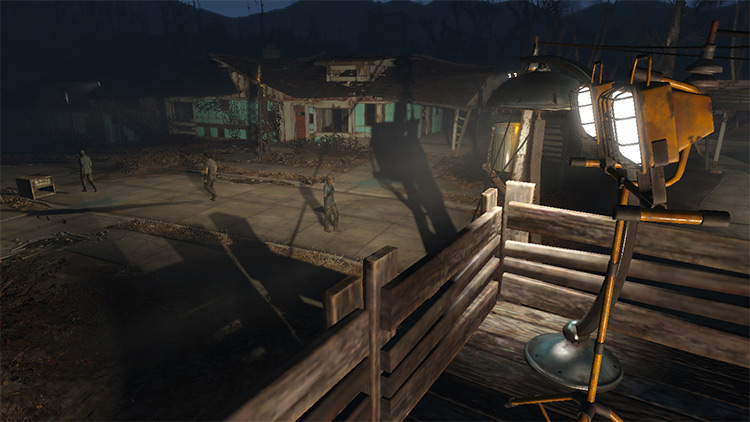
We offset our list with an easy-to-install compendium of small tweaks to give your game a functioning boost without messing besides much with the textures or anything of the sort.
Modder Terso but played around with the settings for how the game handles fog, the quality of shadows and the corporeality of grass, amongst other things, looking for the most FPS with the least loss in graphical fidelity.
Optionally, there's a version that'll make your weather remain clear to avoid performance drops due to weather effects like pelting.
14. Load Accelerator
Cheque Out This Mod
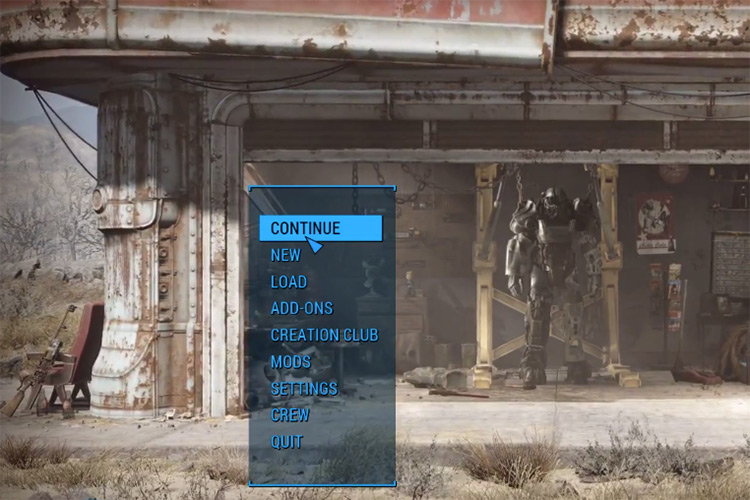
If rather than a performance heave to an one-time rig y'all'd rather take full advantage of your powerful PC, and then Load Accelerator is a must.
Created by Chairo_Hippo, this modern endeavors to reduce all loading screen times by controlling Vsync and CPU analogousness while loading.
For this reason you lot may see a fasten in your GPU's processing load during this time.
If working correctly, it should dramatically lessen loading times in general, particularly for systems running on SSD storage.
As well check out this preview video to see the modern in action.
xiii. Light Sources Practise Non Cast Dynamic Shadows

Check Out This Mod
Every bit anyone with expertise in low-spec gaming knows, shadows are among the almost resource-consuming graphical features you tin can run into.
This goes double for the sophisticated dynamic shadows nowadays in modern games.
This modernistic by HicSuntDracones1 simply swaps all shadow-casting lights in the game for more bones, less GPU-heavy ones that don't cast shadows.
The game will definitely wait less realistic, but the change is relatively minor and can amend operation drastically.
12. Dynamic Operation Tuner and Load Accelerator
Check Out This Mod
And if you're not entirely downwards with eliminating all shadow-casting calorie-free, perhaps something more dynamic is a better set up.
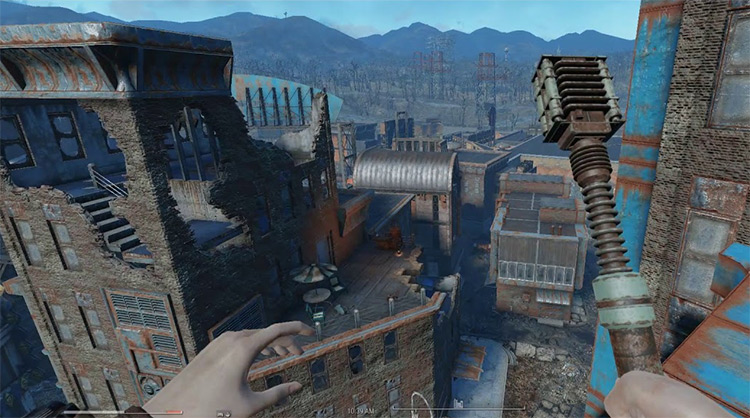
This modernistic past StochasticTinker promises to dynamically accommodate Shadow Dir Distance and the quality of godrays in the game for small FPS gains without a major loss in aesthetics.
It likewise caps FPS, improves loading times, and and so on.
Admittedly, the difference in performance is small-scale.
But you'll barely notice the change in graphics and it all adds up to a better experience.
11. FPS and Performance Ready

Check Out This Mod
On the other hand, our next entry aims to give you anywhere between 10 and 35 more frames per second.
A very substantial improvement nether any circumstances.
The mod, created by SiTheHandsomeGuy, is platonic for those with basic setups.
It works by tweaking preferences in the game's internal configuration to reduce render distance, among several other things.
Despite being a relatively new set up, it has received a lot of back up from NexusMods users and it may be the thing that'll finally allow you play the game in a stabler fashion.
10. Faster Workshop

Check Out This Mod
Perhaps you run the game perfectly well on your mid-range gaming rig.
Only have y'all noticed just how long information technology takes to open up a elementary workshop menu?
Modder Registrator2000 likewise took find and found out that the reason was simply inefficient code lines that funneled your processing ability into nothingness.
With this modernistic, the faulty code is replaced to make loading the workshop nigh instantaneous.
Even if you lot have no issues with workshop loading times, you should install this if y'all plan to go mods that add more workshop functionality.
9. Upscale

Cheque Out This Mod
This baby created past TheCyberShadow is a clever and very necessary tweak that allows the game to exist run in borderless fullscreen in whatever resolution you lot similar.
While it can be useful to ameliorate performance by playing the game at a lower resolution without losing the benefit of fullscreen, it truly shines in the style it lets you run the game in borderless fullscreen on 4K monitors that lack native upscaling.
8. Boston FPS Gear up

Check Out This Mod
Keeping with the tradition of very obvious names for very complex mods comes Boston FPS Fix, which promises to… well, yous get the bespeak.
Modder Valyn81 describes what the mod does as tweaking the game's treatment of precombined meshes, which is especially relevant around Boston because of the way the surface area is built.
The performance comeback is notorious, peculiarly for low-end PCs.
And it comes with no visual downgrade of whatever sort. Complimentary FPS!
7. Optimized Vanilla Textures

Check Out This Mod
It would be weird to make a listing of functioning improvements without touching on textures, wouldn't it?
Modder AlpineYJ noticed a lack of proper compression for a lot of textures constitute in vanilla Fallout 4.
To fix information technology, they put each and every 1 of them through a texture optimizer called Ordenator to improve the situation, therefore helping the game run better.
You'll get some marginal FPS gains, but information technology'due south mostly about stability.
6. Max Performance – All Interiors

Cheque Out This Mod
I like extreme solutions to difficult issues – problems like needing to run Fallout 4 on a toaster, for example.
To assist everyone dealing with such a great challenge, modder MxmOvrDrv manually removed all shadow-casting lights, beams of light and several furnishings such as mist, smoke, and decals on every interior area.
This should assure a massive FPS gain in such areas for depression-spec systems, and improve stability for mid-range ones.
5. Wasteland 512 Textures Reloaded

Check Out This Modern
Another texture-based improvement is Wasteland 512 Textures Reloaded, a mod past Darthanimal that offers very overnice FPS gains at virtually no graphic toll.
What it does is optimize the vanilla textures and resize them to 512px.
The creator did everything in their ability to set things up so that this resizing isn't noticeable, then you can residuum easy knowing your game will await just fine.
Although it isn't perfect, the performance comeback can be substantial-enough to justify it.
iv. Blurkiller – Visual Pollution Remover

Check Out This Mod
On the other hand, the adjacent modern in our list seems most too good to be truthful in terms of the cost/benefit ratio it offers.
Blurkiller, past Sortitus, focuses on removing several effects triggered by events such as explosions to better stability and foreclose crashes on lower-end systems.
Mistiness, Bloom, HDR, and Depth of Field effects in the environment are left intact, simply completely removed from such events.
Not only volition it drastically amend operation, simply it'll give the game a cleaner look that some people may appreciate.
3. Fog Remover – Performance Enhancer Ii

Check Out This Mod
Among the most popular performance enhancers for Fallout iv is Fog Remover by Glass1411.
This offers better FPS and also gives the game a much cleaner look.
It's simple. The modernistic removes effects such equally mist, steam, dust, smoke and, of course, fog, from the surroundings. Airborne miasma, begone!
Information technology's not equally immersive as the vanilla expect of the game, and some things such equally fires look weird without the fume… but I think a stable performance trumps such details, right?
2. FAR – Faraway Surface area Reform

Check Out This Mod
Fallout 4, like many other open-world games, spends a tremendous amount of resources rendering things yous won't ever see. Some of those are distant places and objects.
FAR, by modder SparrowPrince, seeks to salvage you some processing power by optimizing and improving over 6.000 distant land textures for meliorate performance and reduced stutter on higher-end systems.
As a bonus, faraway areas actually look improve and less cluttered.
1. Insignificant Object Remover

Check Out This Mod
Simply if we're talking about saving resources spent on things you won't pay attention to, Insignificant Object Remover offers you the all-time returns.
This mod by Akkalat85 removes a wide assortment of useless objects placed in the terrain to make it look "more than realistic", such every bit stone formations in riverbanks and the like.
In one case gone y'all'll discover a pregnant improvement on your FPS, and the Wasteland volition but look a lot less cluttered.
Yous'd be surprised at how much of your processing power lays in the bottom of rivers, lakes and other places you'll never wait into in the form of algae and random debris.
Source: https://www.fandomspot.com/fallout4-performance-mods/
0 Response to "Fallout 4 Downtown Boston Fps Fix"
Post a Comment